Actions
Bug #134
closed[OptiView] The scan icon in the camera list is not working.
Start date:
02/04/2025
Due date:
% Done:
0%
Estimated time:
Description
[Test Environment]
Chrome: 109.0.5414.120
OptiView: 1.4.11
Amber Vision OS: 0.2.1
Cloud: C1
Amber IP: 10.8.129.239
[Step]
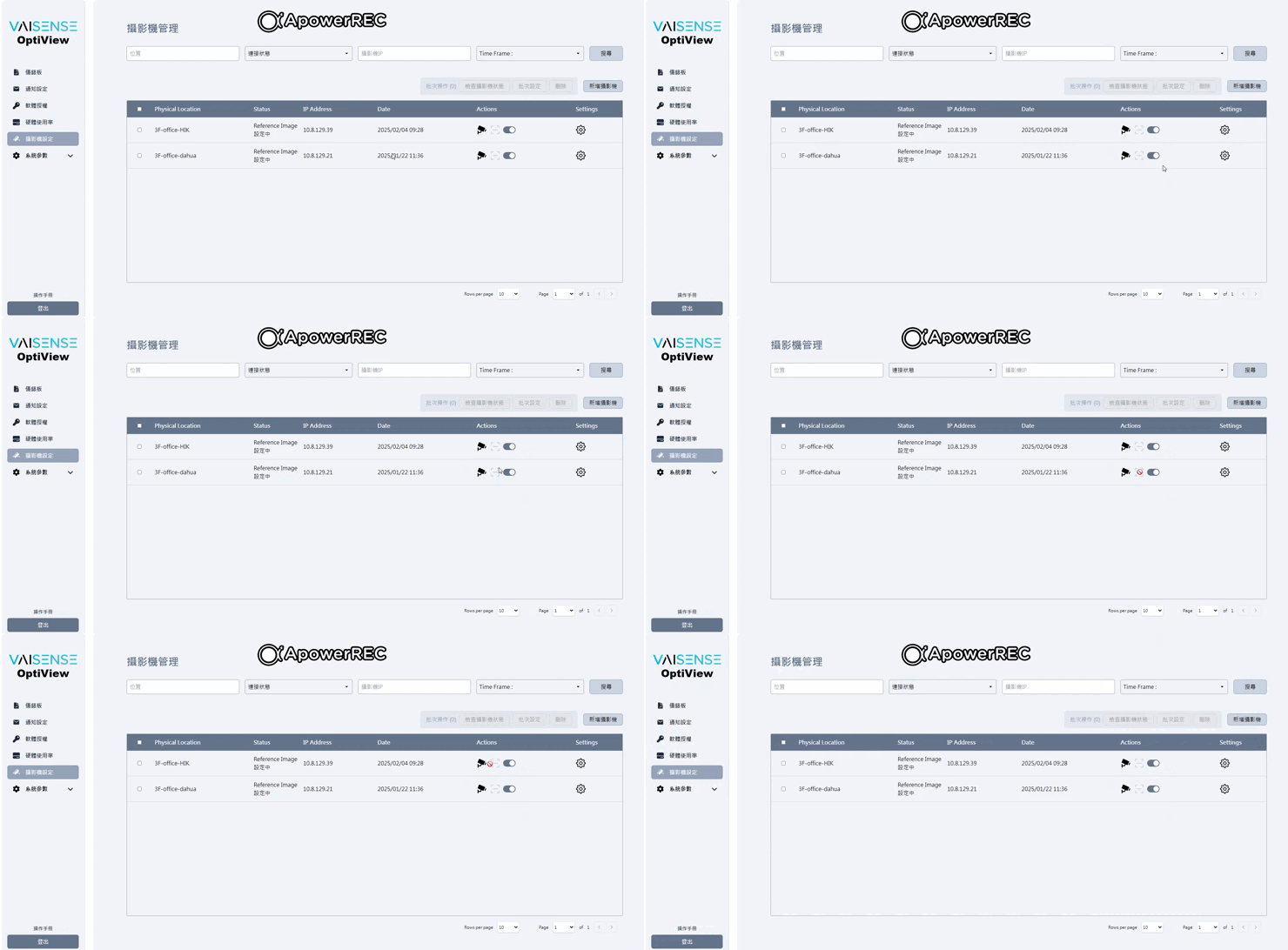
1.Launch OptiView > Camera Setting > Camera List
2.Check scan icon status
[Test Result]
The scan icon is not working.
[Expect Result]
The scan icon should be working.
Files
Updated by Michael Yi about 1 year ago
- Assignee changed from Shirley Kao to Lan Chen
Updated by Bella Chang about 1 year ago
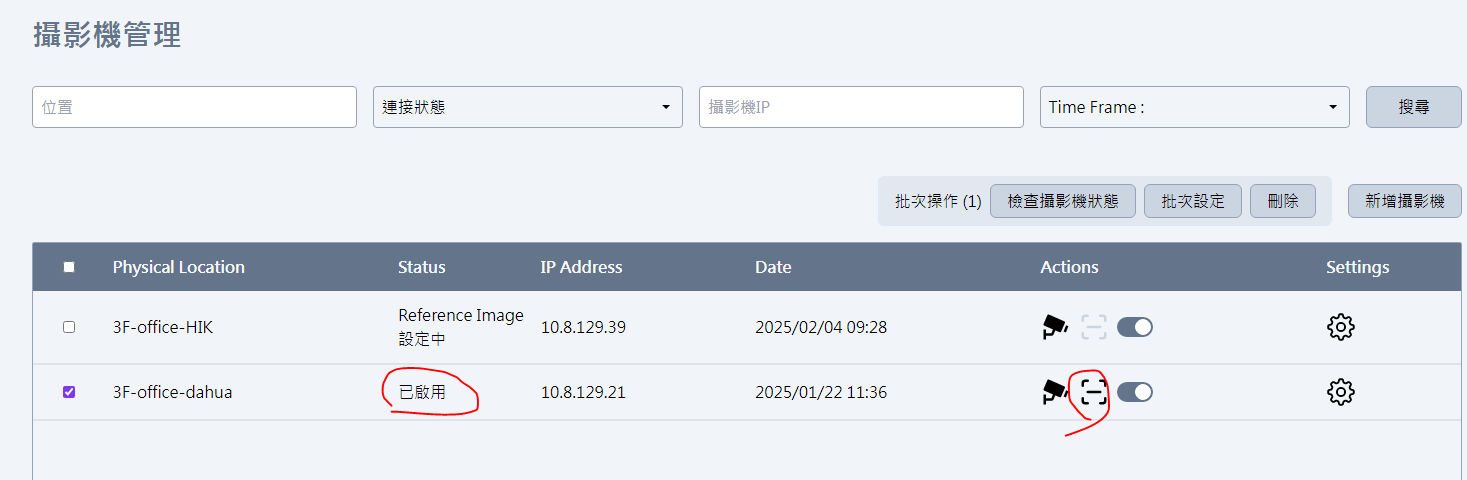
- File [Scan Icon] scan function i working.PNG [Scan Icon] scan function i working.PNG added
- Status changed from New to Closed
- Assignee changed from Lan Chen to Bella Chang
Due to yesterday's camera status being in the "Reference Image settings," the scan function did not work.
Today, one camera's status is "enabled," and its scan function is working.
Therefore, this issue is now closed. Thanks.
Actions