Actions
Bug #134
closed[OptiView] The scan icon in the camera list is not working.
Start date:
02/04/2025
Due date:
% Done:
0%
Estimated time:
Description
[Test Environment]
Chrome: 109.0.5414.120
OptiView: 1.4.11
Amber Vision OS: 0.2.1
Cloud: C1
Amber IP: 10.8.129.239
[Step]
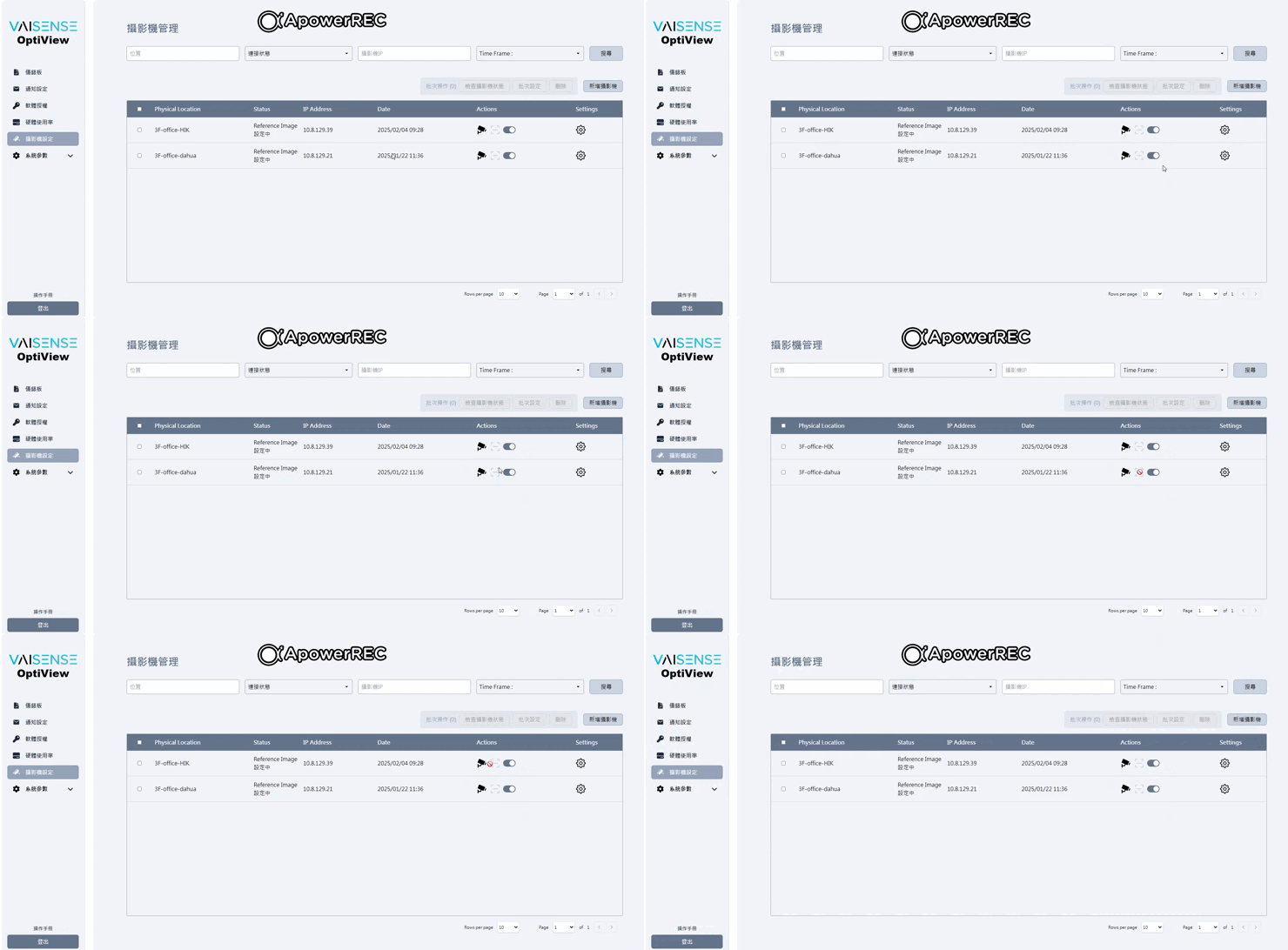
1.Launch OptiView > Camera Setting > Camera List
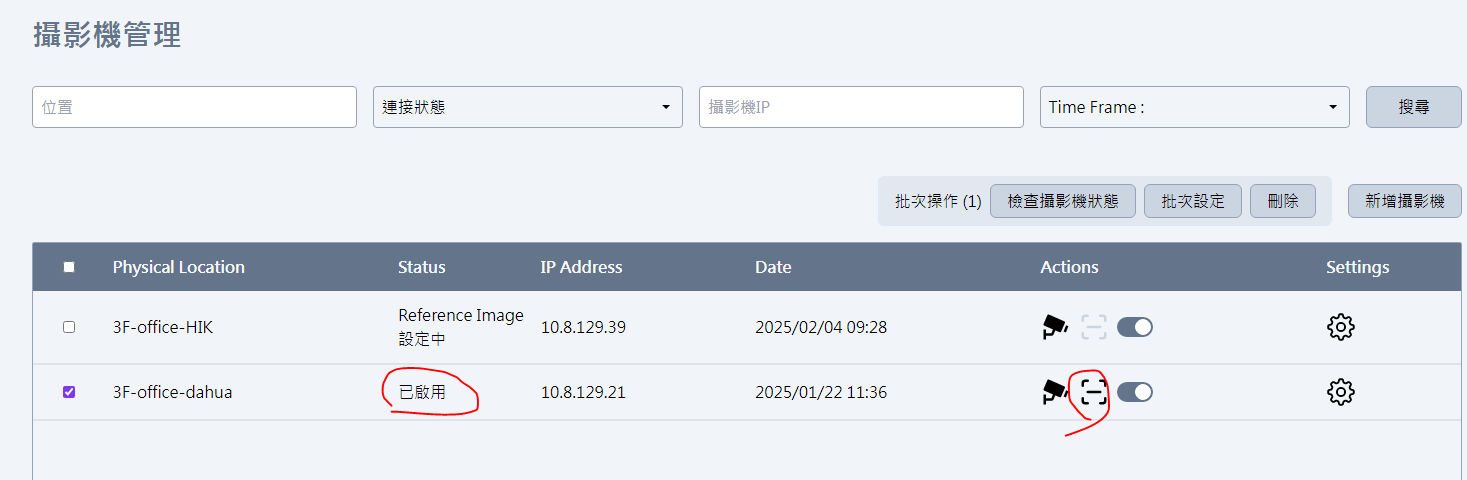
2.Check scan icon status
[Test Result]
The scan icon is not working.
[Expect Result]
The scan icon should be working.
Files
Actions